Eagle 4.0 Build 21: Web API v2, New Image Combine Tool, and AI Search Coming Soon
Este contenido aún no ha sido traducido al Español. Te mostraremos la versión en inglés a continuación.
Build 21 brings three major updates: the all-new Web API v2 enables external tools and automation workflows to interact with Eagle more fully; the Image Combine Tool has been completely redesigned, replacing the previous basic merge feature; and we've completed the final preparations for the upcoming AI Search plugin.
We've also fixed several issues affecting everyday use, including download error notifications and thumbnail rendering problems. Here's the full rundown.
✨ Web API v2: Fully Aligned with Plugin API
Eagle's Web API has received a complete overhaul in this update. The new v2 is fully aligned with the Plugin API, covering 7 major categories including item management, folders, tags, and libraries — allowing external tools to interact deeply with Eagle through a standard RESTful HTTP API.
Whether you're using Python scripts to batch-import assets, connecting automation workflows, or letting third-party tools read and write to your library, there's now full API support for it.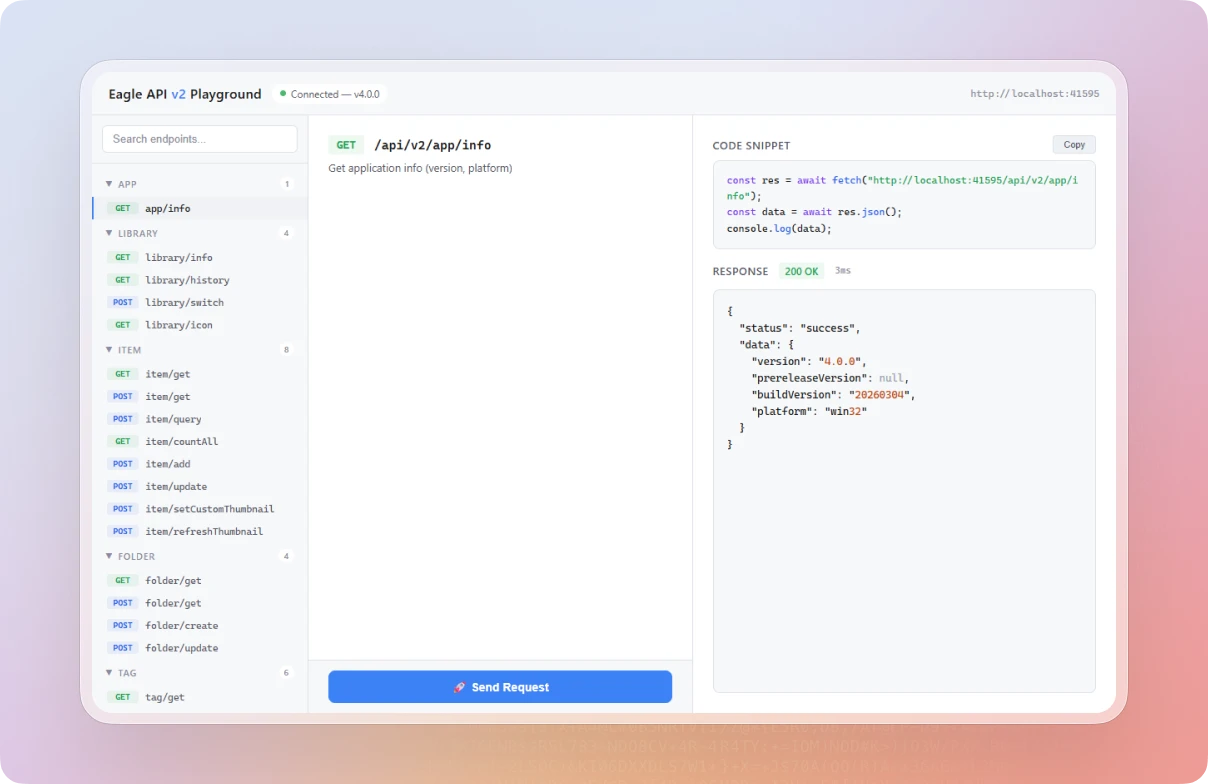
We've also built in a Playground — an interactive testing interface that lets you test every API endpoint right in your browser without writing any code, so you can quickly understand parameters and response formats.
👉 Full documentation: Web API v2 Developer Docs
🧩 New Image Combine Tool
Eagle's previous image combining feature was fairly basic — no live preview, limited layout options, and it was hard to get the result you wanted on the first try.
We've completely redesigned the image combine tool. It now supports 16 input formats and 5 output formats, with live preview, drag-and-drop reordering, and much more control over the final layout. 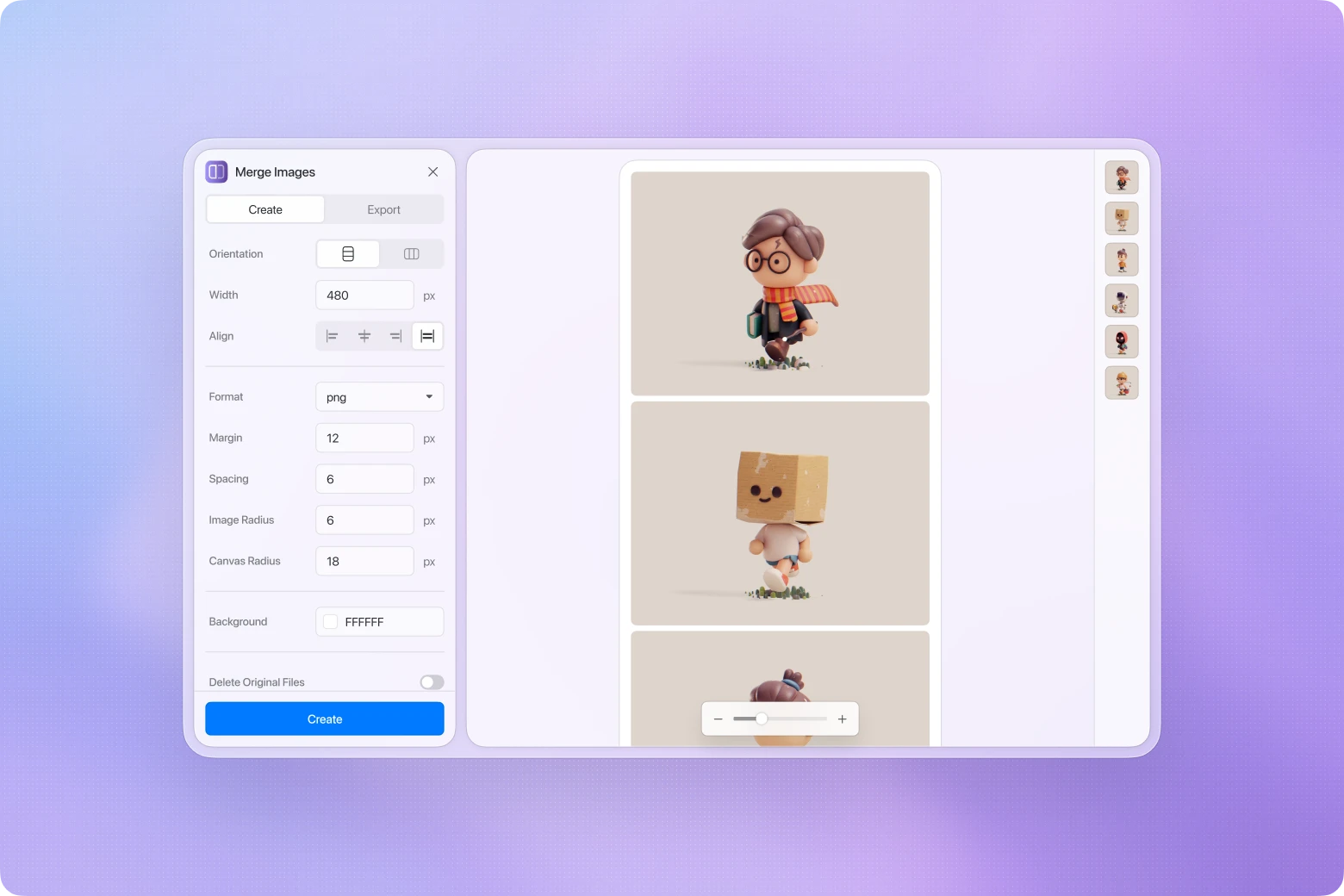
- Live preview: The canvas updates instantly as you adjust spacing, alignment, or image order — with zoom and pan support for checking details.
- Drag-and-drop reordering: Rearrange images freely by dragging them in the panel, no longer limited to the original selection order.
- More layout control: Set padding, margin, image border radius, canvas border radius, and background color. Output quality is also adjustable.
- Broader format support: Beyond common image formats, you can now directly combine HEIC, JXL, SVG, TGA, TIFF, EXR, HDR, AVIF, and more — no pre-conversion needed.
Whether you're stitching together reference images, organizing assets, or creating long-form visuals, it's now faster and easier to do it right inside Eagle.
🔮 AI Search Coming Soon
In Build 20, you may have already noticed the AI search entry point appearing in the interface. We're currently making final adjustments and running tests, and plan to officially release the AI Search plugin next week.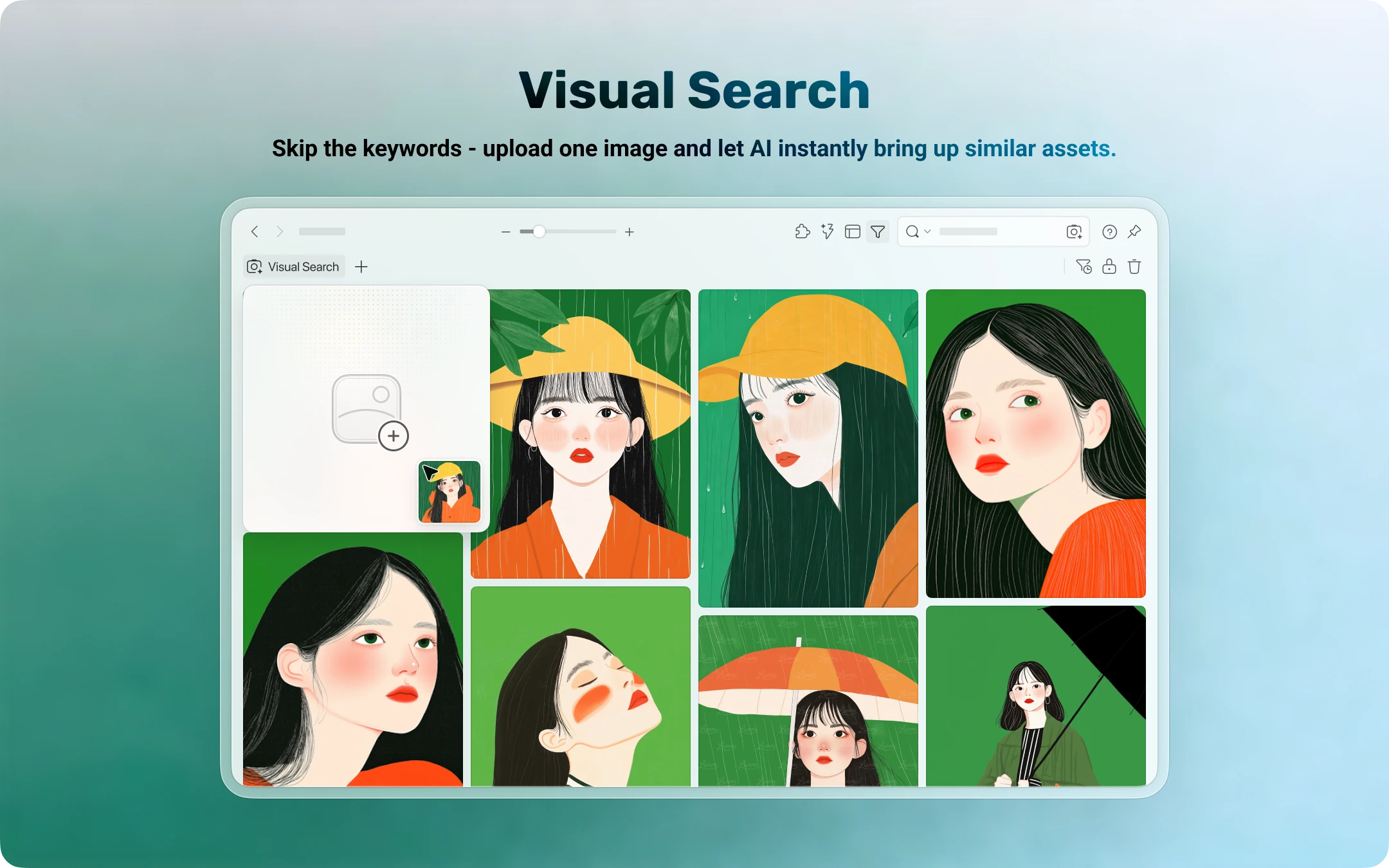
It will support two core features:
- Reverse image search: Select an image, and Eagle will find visually similar content in your library — no tags or keywords needed.
- Semantic search: Describe what you're looking for in natural language, such as "sunset on a beach" or "blue gradient background," and AI will understand the meaning and return the most relevant results.
Both features will be available as plugins. Stay tuned.
🐛 Other Improvements & Fixes
- Fixed Behance WebP URL enlargement producing 404 errors
- Fixed missing error notifications when drag-and-drop downloads fail
- Improved download error messages to better distinguish HTTP status code errors, Content-Type blocks, and timeouts
- Fixed certain JPEGs producing black blank areas in thumbnails under GPU acceleration
📥 How to Update
Build 21 is a minor update and won't trigger automatic update notifications. To get the latest features right away, download the newest version from our website:
While this update may not be the biggest, the launch of Web API v2 is an important milestone for users and developers with automation needs. And the fully redesigned image combine tool finally brings this basic feature up to the experience it deserves.
The most exciting part, of course, is the upcoming AI Search plugin — finding assets with just an image or a sentence is about to become reality. Stay tuned for next week's announcement.
Thanks for your support and feedback — see you in the next update!
Artículos relacionados